From Script to Call Sheet
Each module works from the same breakdown of your script, so you enter a scene, location, or actor once and use it in the schedule, budget, and call sheets.
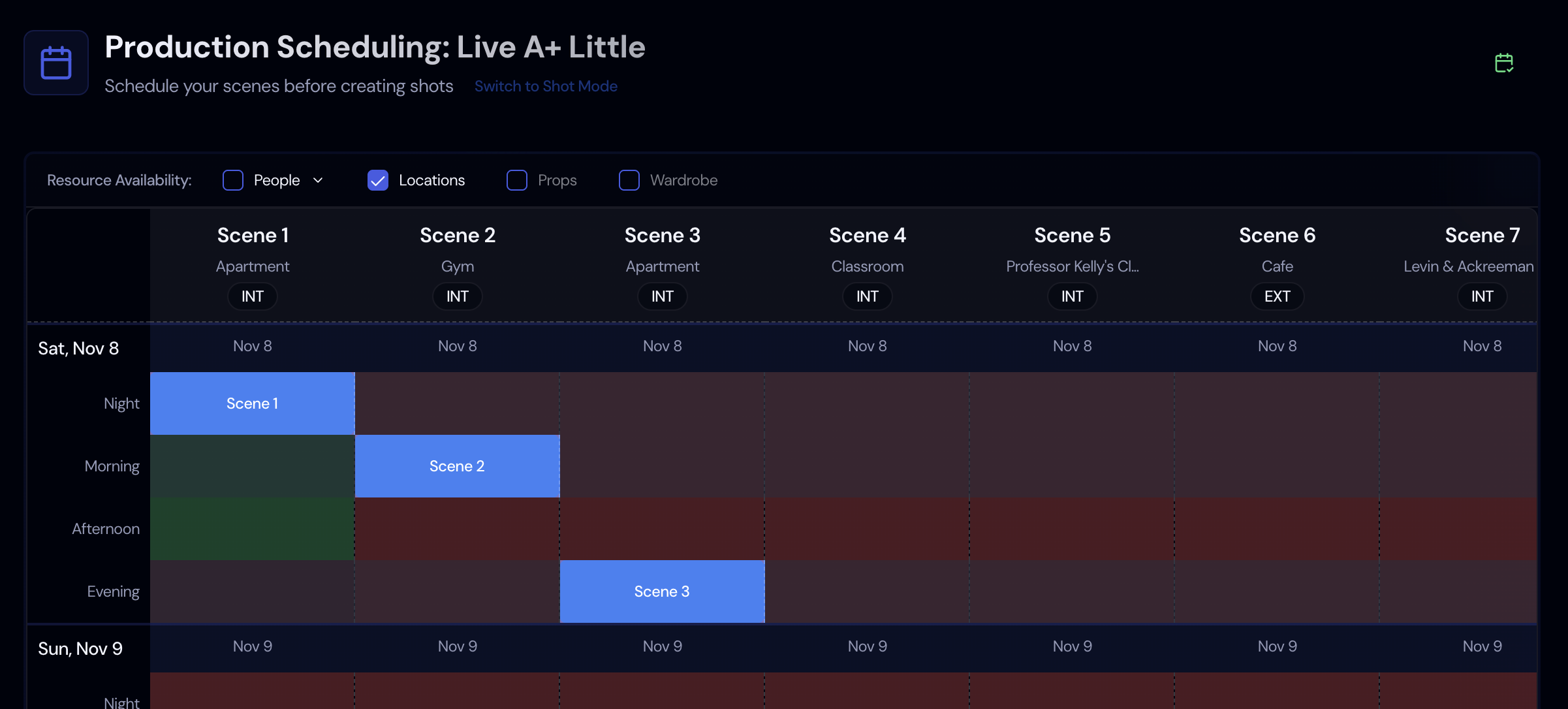
Shooting Schedules
Drag scenes and shots into shoot days on a stripboard. Storiara won't let a day run past the length you set, shows who is available in each time slot, and fills in a Day Out of Days for your cast.
Learn More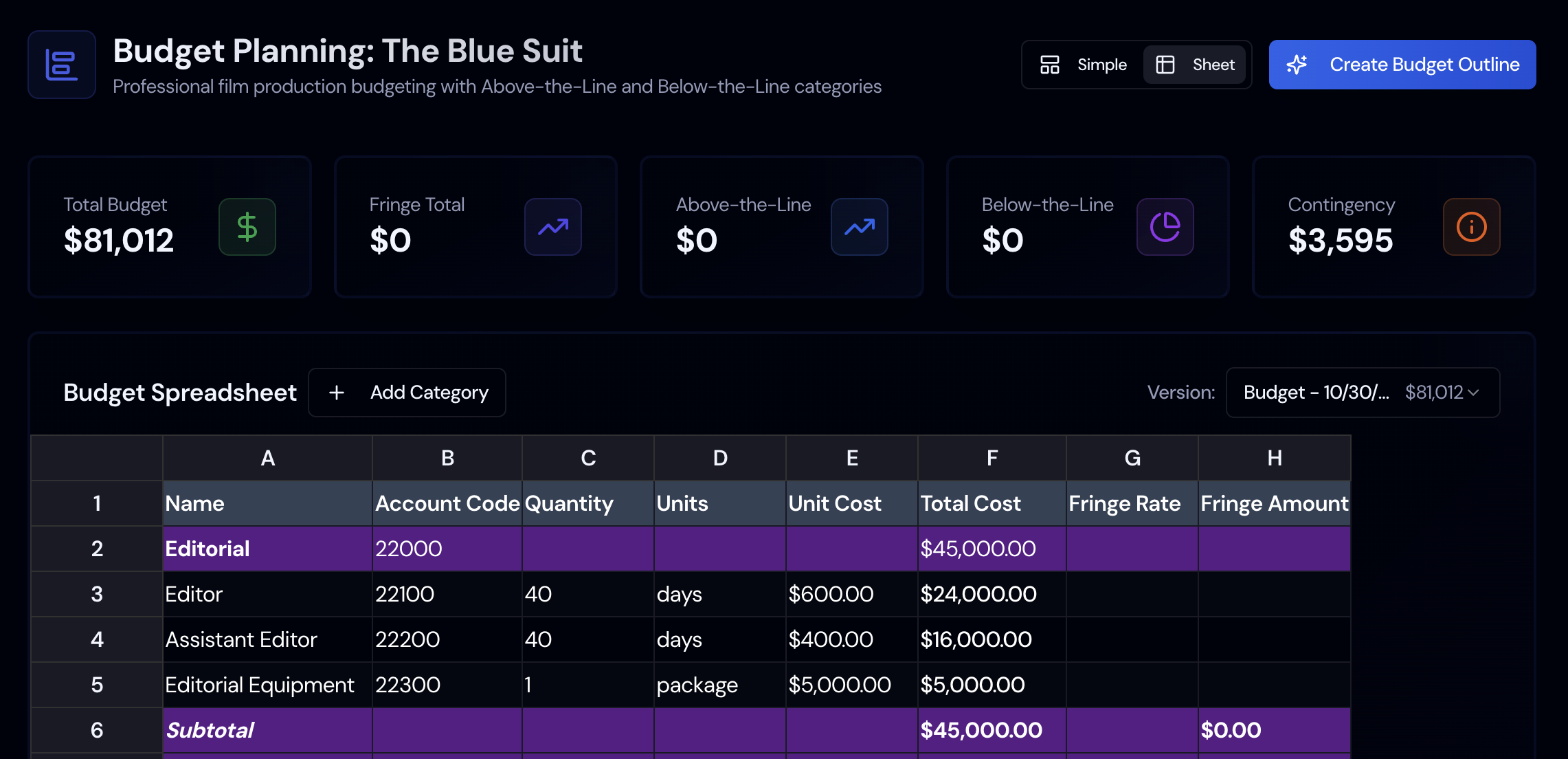
Budgeting
Answer a few setup questions and Storiara builds a top sheet from your cast, crew, locations, and gear, filling gaps from rate tables. Edit any line, then print it or export it to Excel.
Learn More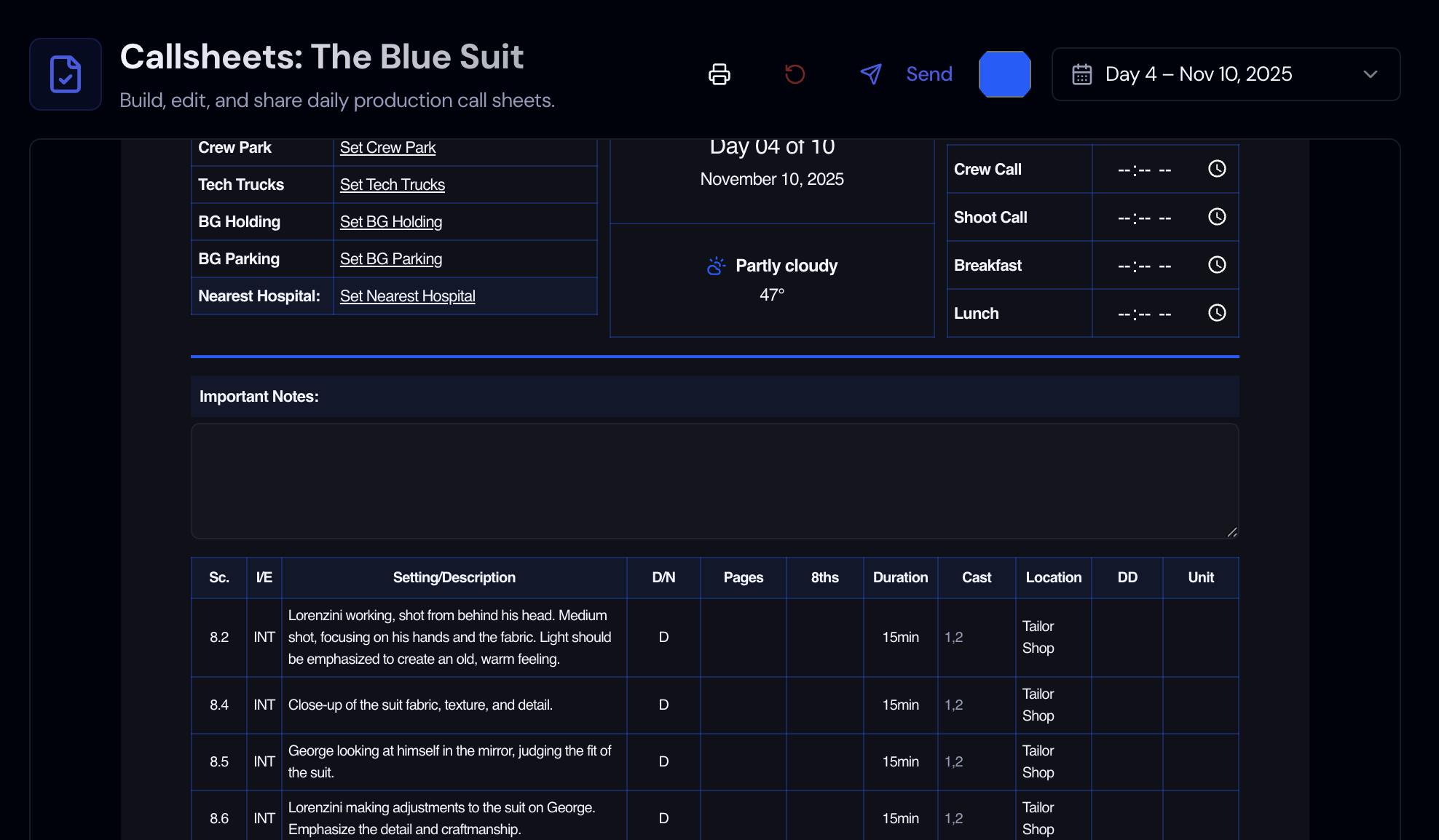
Callsheets
Each shoot day gets a call sheet built from your schedule, with weather and location details. Email it to cast and crew now or schedule it for later, or share a single link.
Learn More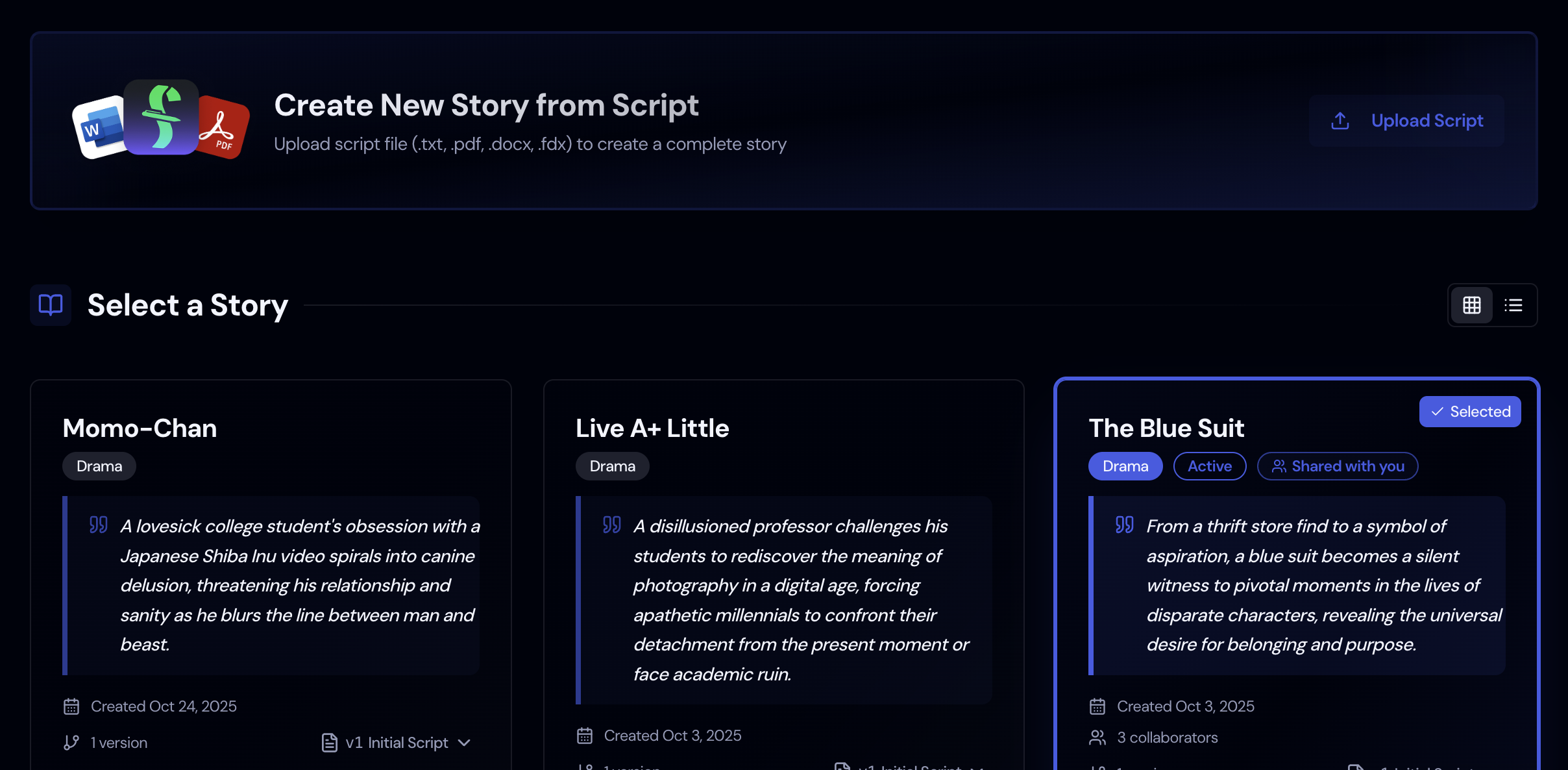
Script & Story
Upload a PDF, Word, or Final Draft file. Storiara splits it into scenes with page counts in eighths and lists the characters, locations, props, wardrobe, and music and effects for you to review.
Learn More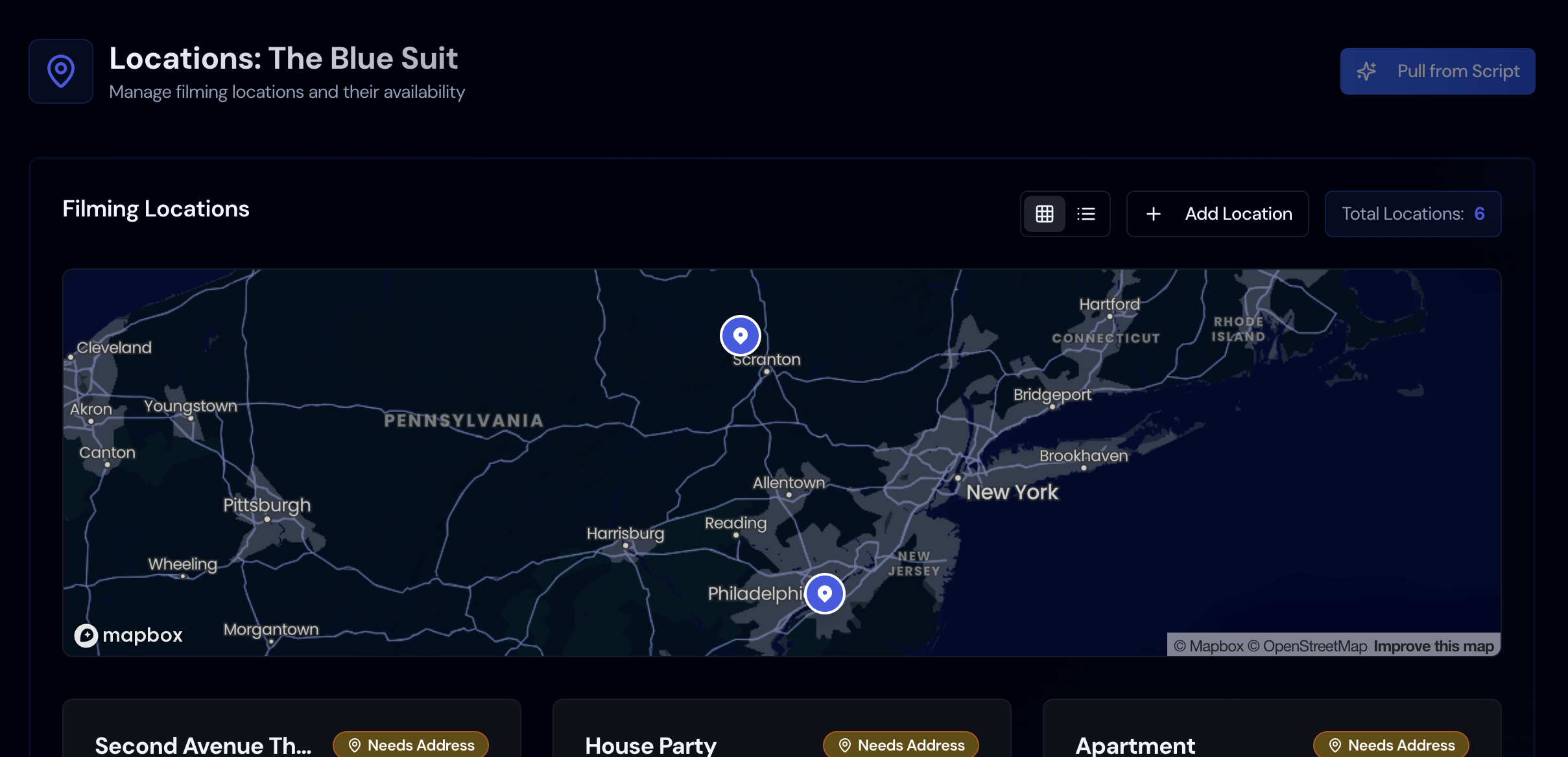
Locations
Keep each location's address, photos, parking map, availability, and cost together, and jump to the places it appears in the script.
Learn More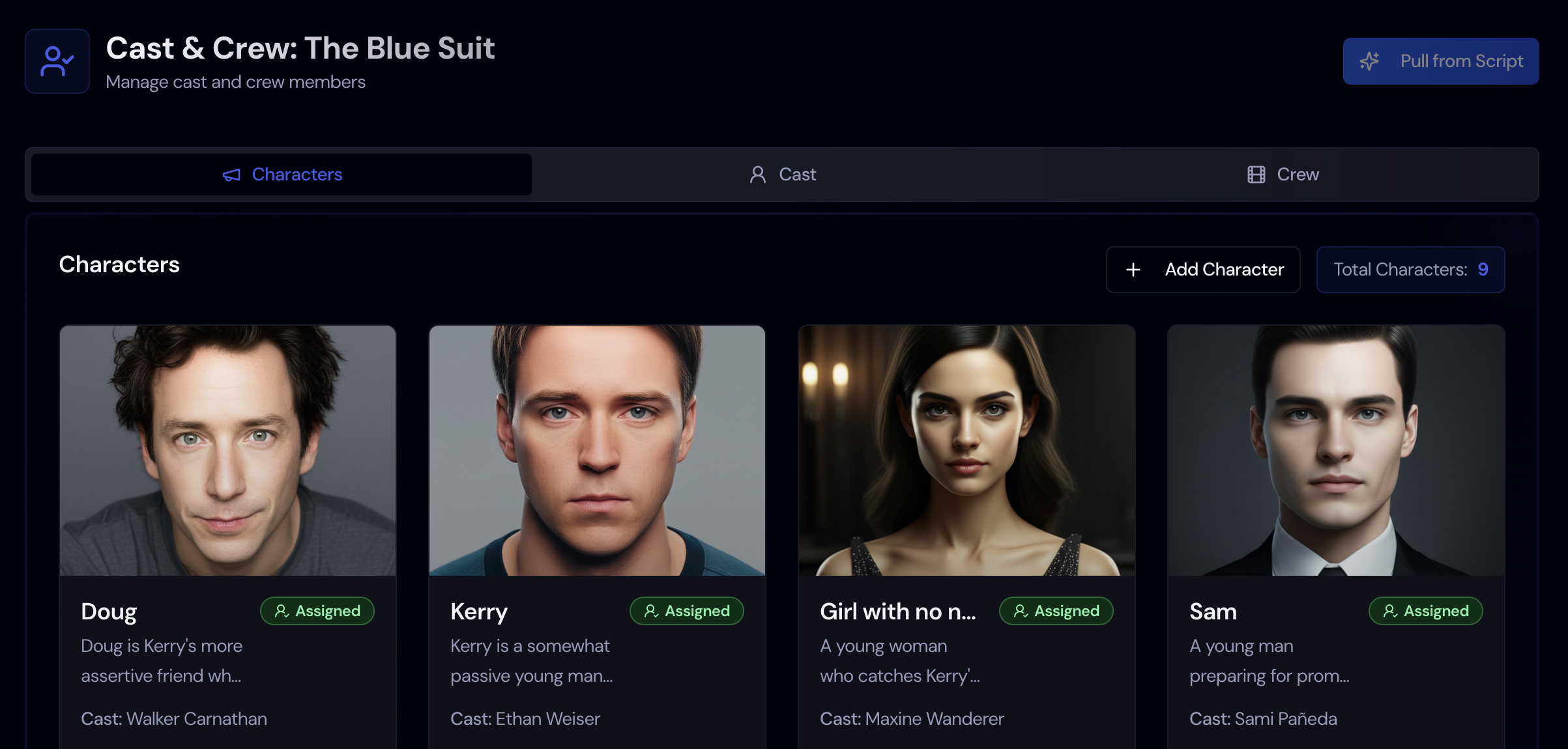
Cast & Crew
Characters and extras come from the script. Add cast and crew with union and contract rates, import actors from Backstage, and send availability forms that people fill in without an account.
Learn More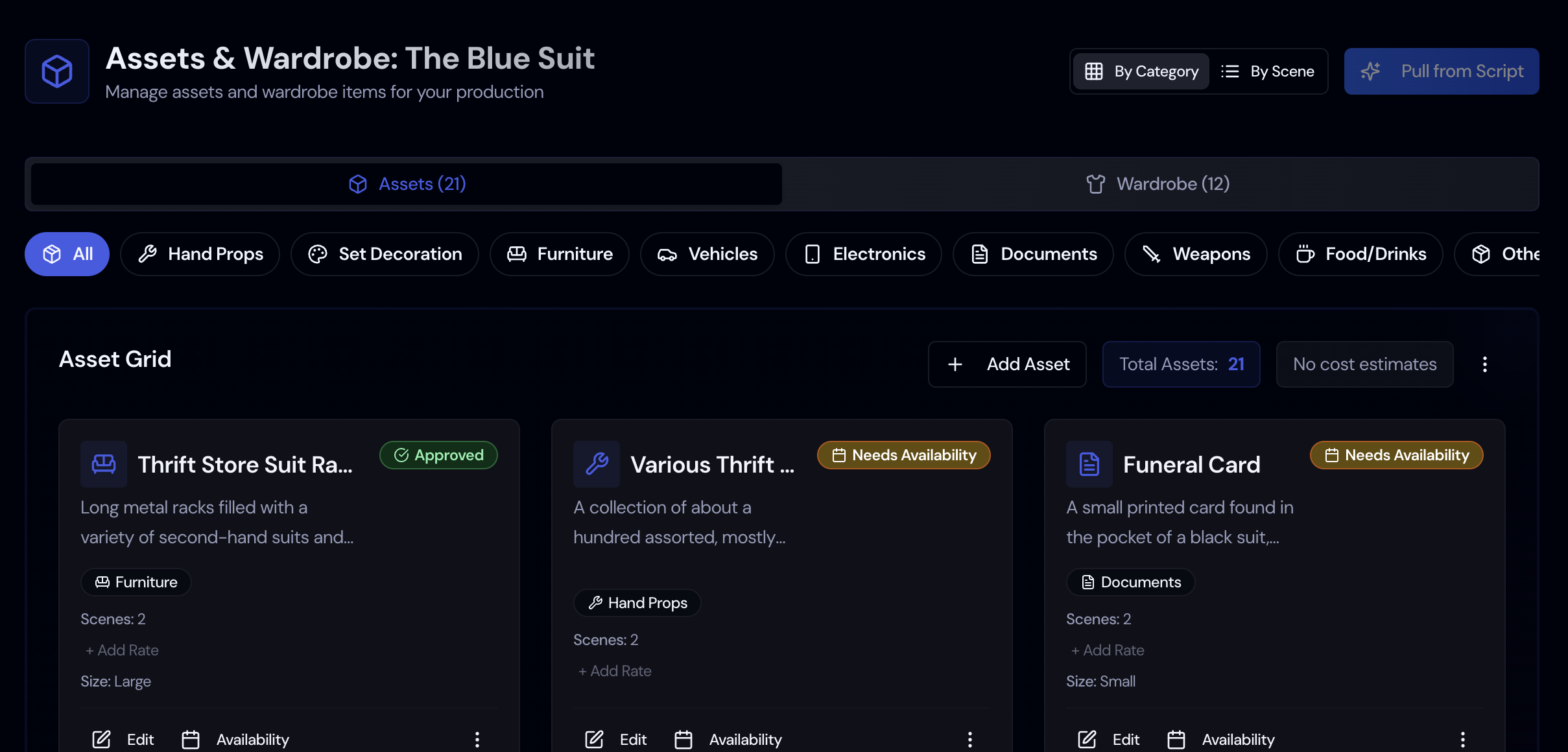
Props & Wardrobe
Props, wardrobe, vehicles, animals, makeup, and hair are pulled from the script into categories, and each item can hold photos, costs, and comments.
Learn More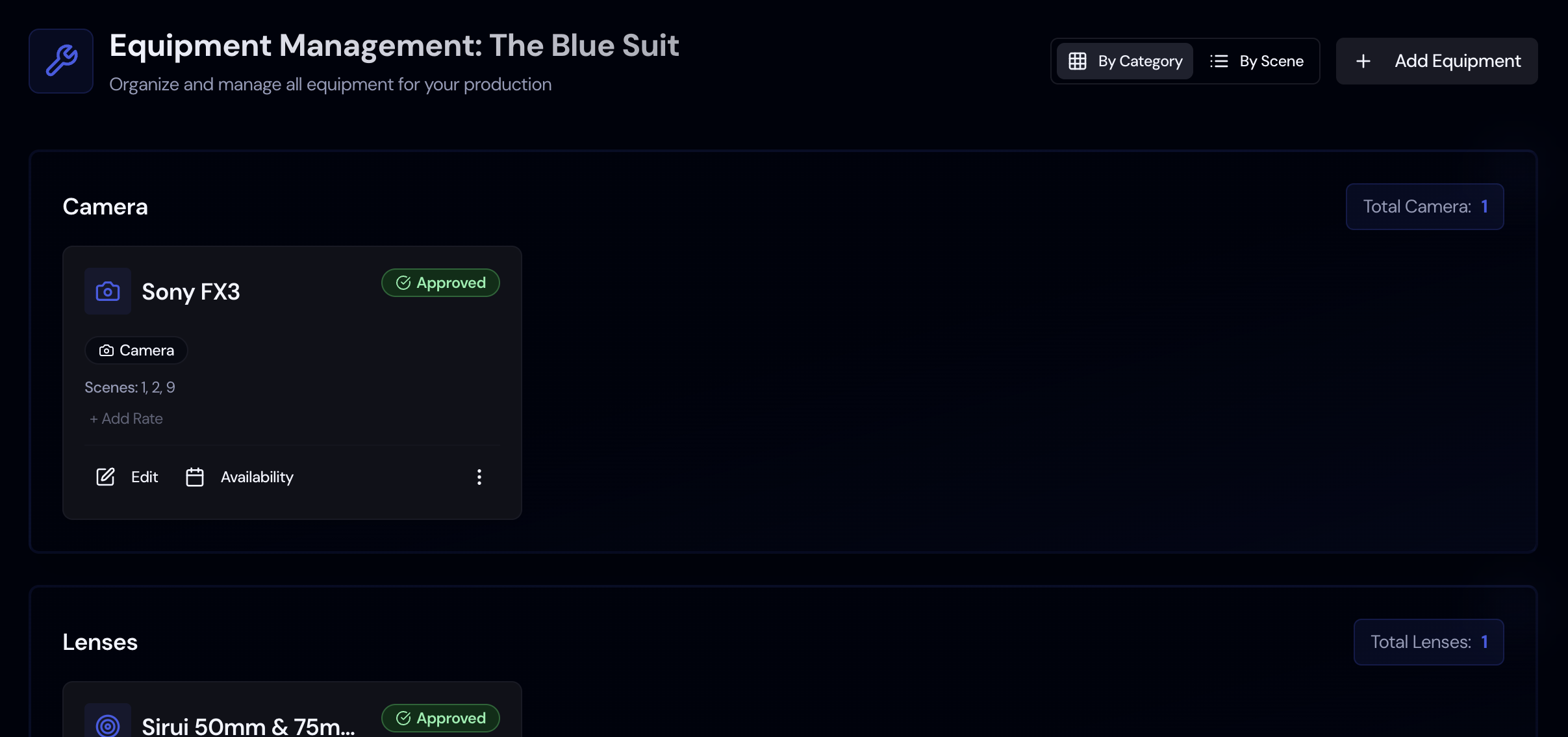
Equipment
List your camera, lighting, and sound gear with rates and availability, or import the list from a CSV or Excel file.
Learn MoreWorks with the scripts, cast lists, and calendars you already have. See integrations





Feature guides
Script breakdown software
Tag cast, props, wardrobe, and locations automatically.
Film shooting schedule software
Build a shoot-ready schedule from your script.
Film budgeting software
Line-item budgets built from your breakdown.
Call sheet software
Generate and send call sheets from the schedule.
Location management
Addresses, maps, and scenes per location.
Cast and crew management
Contacts, roles, and availability in one roster.
Props and wardrobe tracking
Every item tied to its scenes and characters.
Equipment management
Gear lists and rentals per shoot day.
Frequently Asked Questions
Answers to common questions about Storiara.
Storiara is pre-production software for film and video. You upload a script, Storiara breaks it into scenes, characters, locations, props, and wardrobe, and you use that breakdown to build your schedule, budget, and call sheets.
Upload a PDF, Word (.docx), or Final Draft (.fdx) script. Storiara splits it into scenes at each scene heading and records INT/EXT, the location, and the time of day. AI then reads the scenes and lists characters, extras, locations, props, wardrobe, and music and effects, and checks each item against a line in the script. If it misses something, highlight the text in the script panel and add it yourself.
Beginner is a free 7-day trial with unlimited stories and a monthly cap on AI features. After that, Producer is $39.99 a month for unlimited stories and AI use, and you can add collaborators for $19.99 a month each.
It builds the script breakdown: scenes with page counts in eighths, plus characters, extras, locations, props, wardrobe, and music and effects. It fills in the cast Day Out of Days from your schedule and calculates budget lines from the rates you enter and built-in rate tables. You arrange the shooting schedule yourself on the stripboard.
Yes. Invite collaborators to a story by email and give each person a role, such as Producer, Assistant Director, Cinematographer, Department Head, or Accountant. The role decides which sections they can open and whether they can see or edit the budget. On the Producer plan, each extra collaborator costs $19.99 a month.
Your script is stored with your project and sent to Google's Gemini models to create the breakdown. Under our Terms, you keep full ownership of what you upload. Call sheets and availability forms are shared by link and open without a login, so send those links only to the people who need them.
The schedule exports as a one-liner or stripboard PDF, a one-liner Excel file, a strips CSV, and a tagged .fdx that Movie Magic Scheduling imports as a script. The Day Out of Days exports as PDF or Excel. Budgets export to Excel, and actuals export as a CSV for QuickBooks Online or Xero. Call sheets download as a PDF and go out as a personal link per person. Everything else has a print view you can save as a PDF.
Still have questions?
Send us a message about your production and we'll get back to you.